For ADHD brains
A calmer way to organize a busy brain.
Voice brain dumps, micro-step breakdowns, shame-free overwhelm moments. Built around how ADHD brains actually work — not against them.
The core loop
Five tools, one steady rhythm.
Each one earns its place by doing one specific thing well — and never asks you to push through.
#01
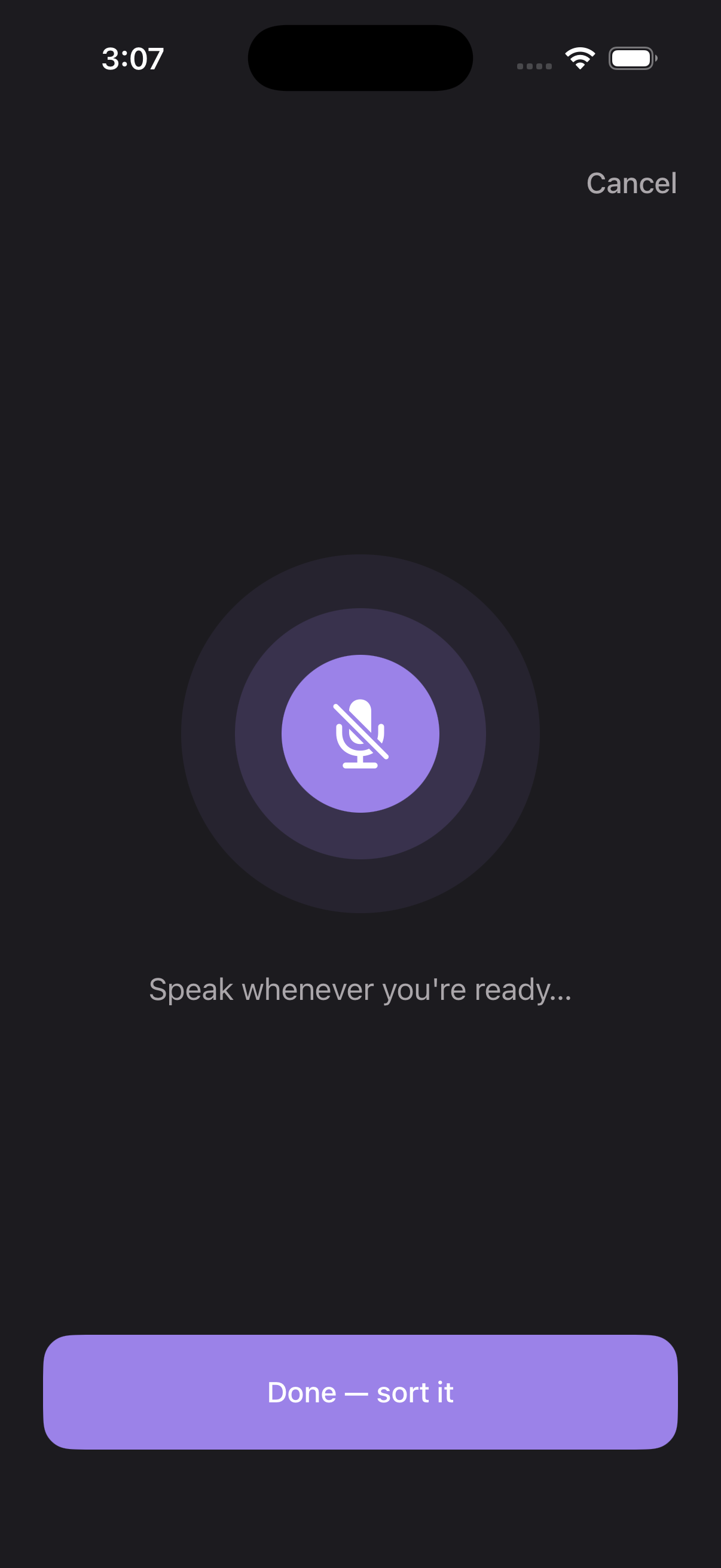
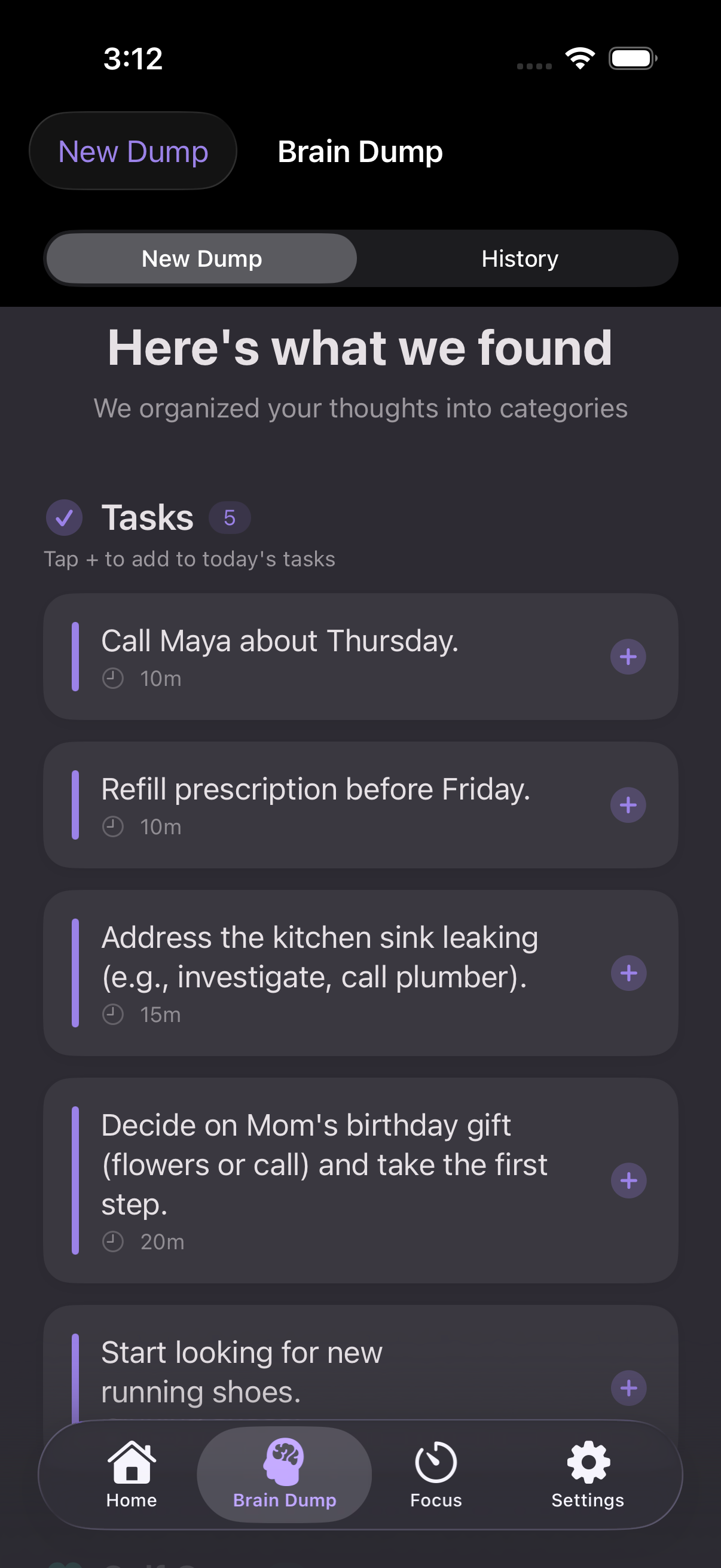
Brain Dump
Speak or type everything on your mind. AI sorts it into what to do, what to care about, and what to let go of — no judgment, no streak shame.
#02
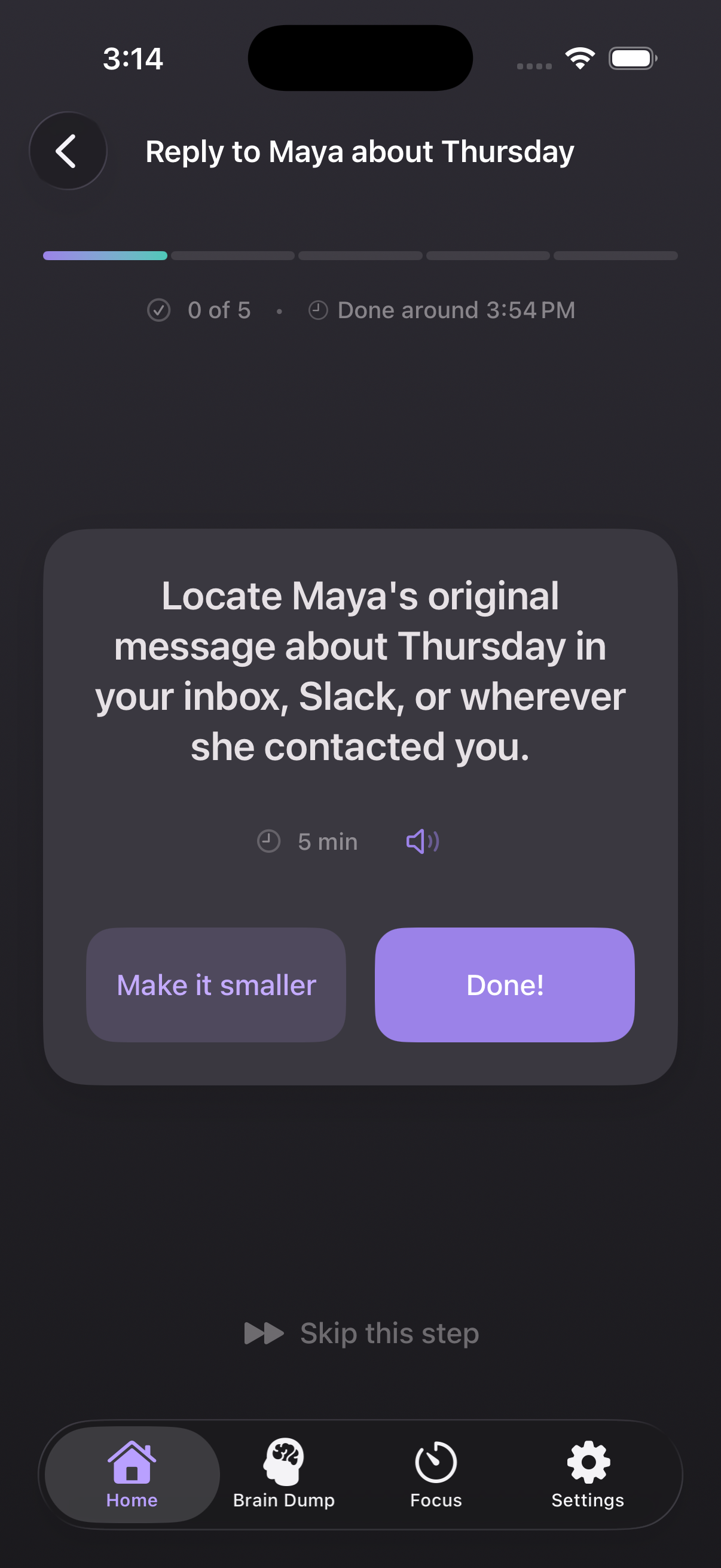
Micro-Steps
Every task breaks into 3 to 5 tiny steps you can read aloud, swipe through, or break smaller when one feels too hard. Energy-aware: a tired-day breakdown is different from a sharp-day one.
#03
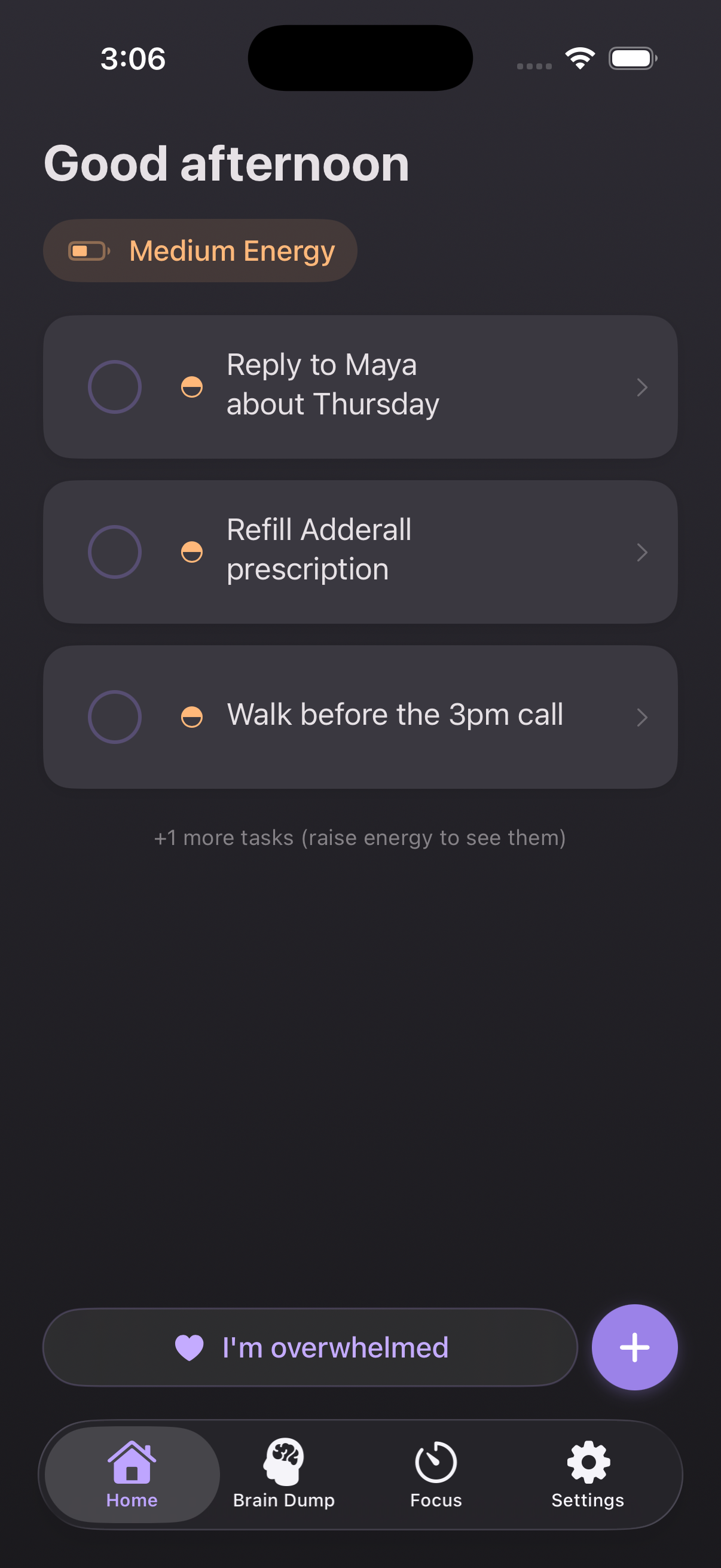
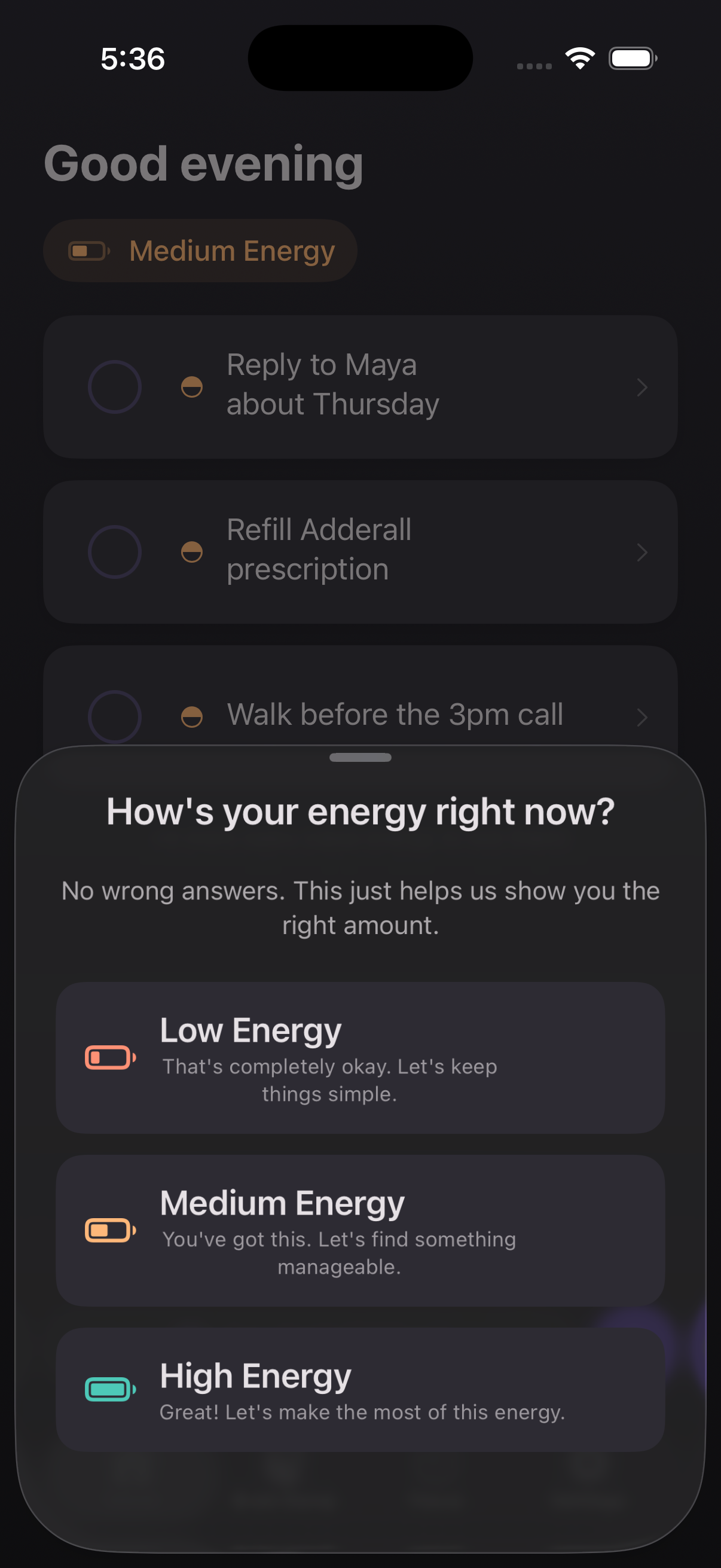
Energy Battery
Tell ADDMind how you feel, not what you should do. The app matches tasks to your actual capacity — sometimes the win is the smallest possible step.
#04
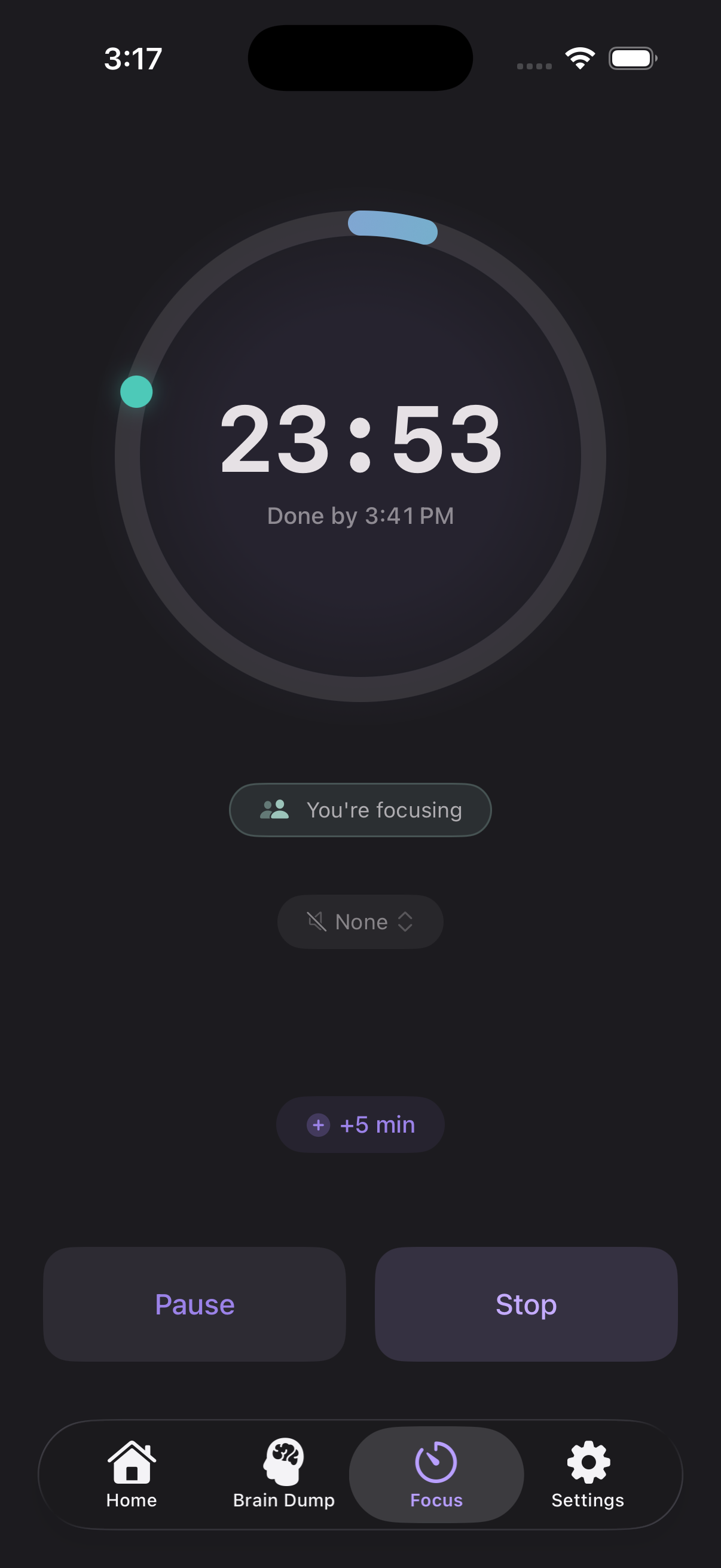
Hyperfocus
Calm timer with a wall-clock anchor (“Done by 3:41 PM”), optional soundscapes, and a Live Activity on the lock screen. Pause and stop without unlocking your phone.
#05
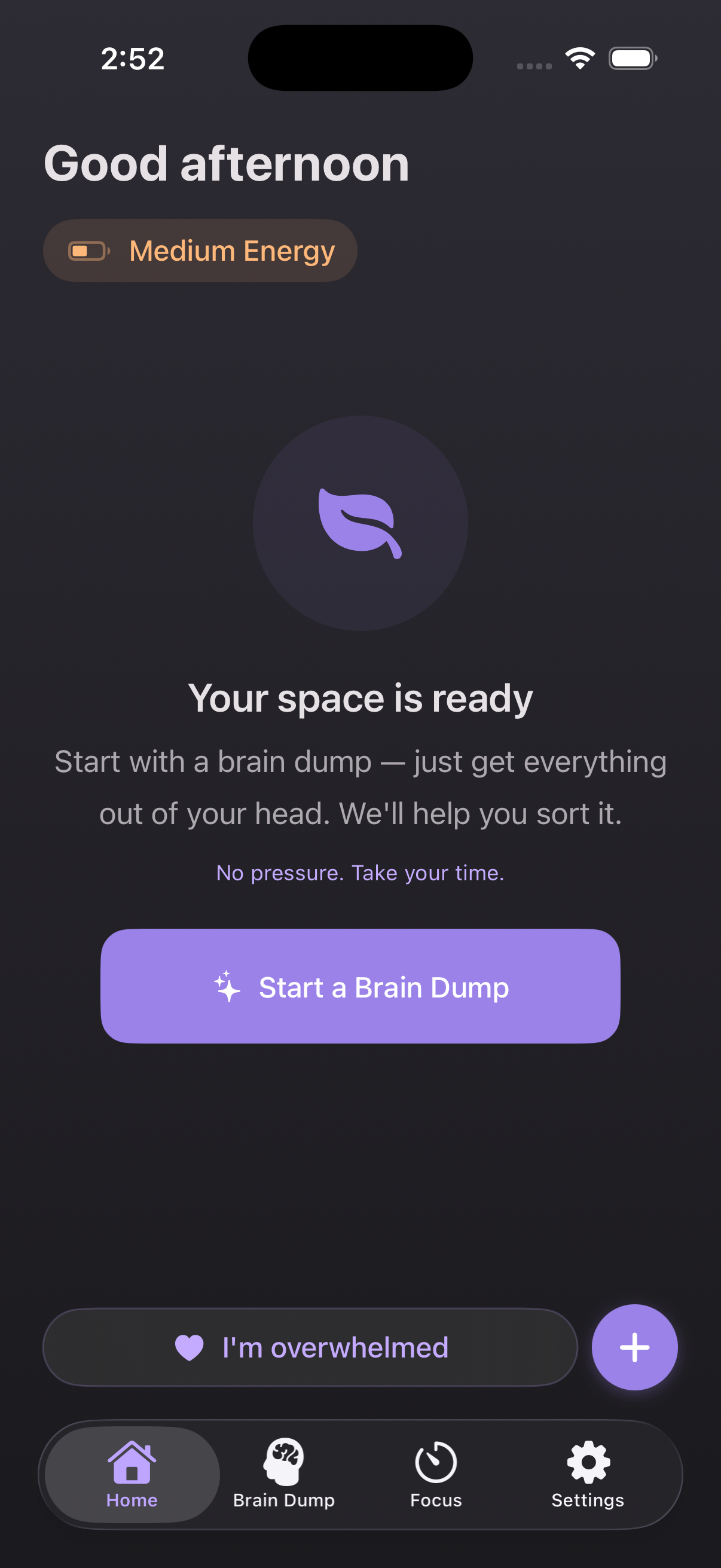
ShameFree Moments
Tap “I’m overwhelmed” any time. Breathing rings appear, optional Personal Voice affirmations play, and nothing scolds you for needing a break.
Slow is not behind.
Inclusivity, not afterthought
Every Apple accessibility setting. Every screen.
Dynamic Type AX1–AX5. VoiceOver hints on every interactive control. Switch Control flows. Reduce Motion fallbacks. Read-aloud MicroStep. Differentiate Without Color. 22 screens × 3 type sizes × light/dark — snapshot-tested in CI.
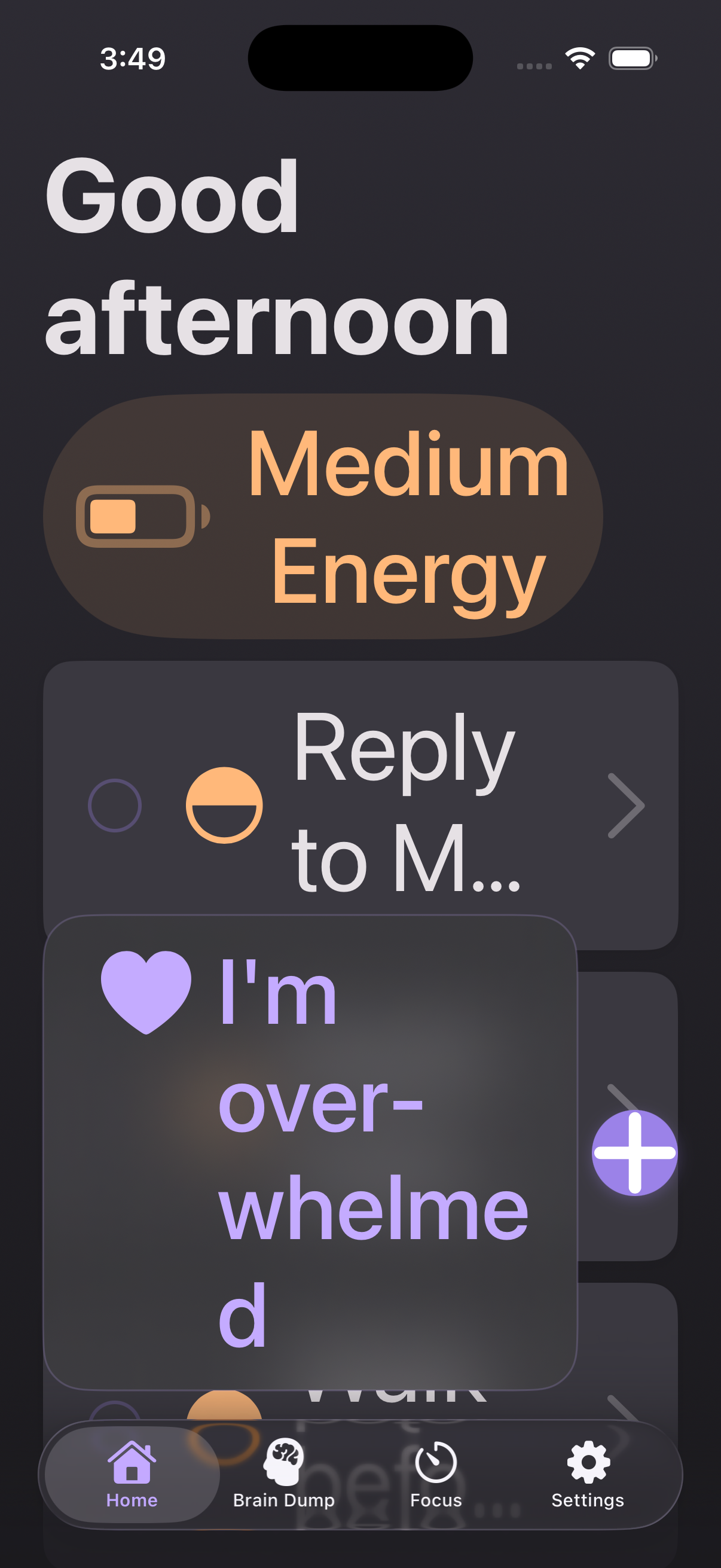
Built to a 100/100 Lighthouse a11y score and WCAG 2.2 AA.
Privacy
Your brain dumps stay on your device.
We never sell data. Voice transcription runs on-device. Explorer Mode keeps everything local until you choose to sync. Export or delete your data anytime, from Settings.
Common questions
The things people ask before they download.
More answers (and the human at the other end of support) live at /support.
Does ADDMind support VoiceOver, Dynamic Type, and Switch Control?
Yes — all 22 screens. VoiceOver has custom hints on every interactive control. Dynamic Type works from XS through AX5 (the largest accessibility size) without cropping or breaking layout — every snapshot is tested in CI. Switch Control group-scan completes every flow. Voice Control overlay numbers don't collide. We also support Reduce Motion, Reduce Transparency, Increase Contrast, and Differentiate Without Color across every screen.
How much does Pro cost? Is there a free trial?
ADDMind Pro is $7.99/month or $57.59/year (saves ~40%). The Free tier includes 3 brain dumps per day, the full Hyperfocus timer, Energy Battery, Today's wins, and every accessibility feature — it's a real free tier, not a trial. Pro adds unlimited brain dumps, advanced micro-step breakdowns, full focus history, and Personal Voice affirmations. Subscriptions are billed through your Apple ID and you can cancel anytime in iOS Settings → Subscriptions.
I lost my data after signing up. Where is it?
We migrate Explorer Mode (local-only) data into your account the first time you sign in. If you don't see it, email support@getaddmind.com with the email you signed up with and roughly when you signed up — we can usually find it within 24 hours.
What makes ADDMind different from Apple Reminders, Things, or Todoist?
Those apps assume you already know what you want to do and just need a place to write it down. ADDMind is built for the part before that: the moment your brain is full of half-thoughts, your tasks feel too big to start, and you need a calmer way in. We add three things general productivity apps don't: AI-sorted brain dumps, energy-aware micro-step breakdowns, and a shame-free overwhelm button.
Is this actually built for ADHD, or just marketing?
Built by someone with ADHD. The shame-free language, energy-aware breakdowns, and 'I'm overwhelmed' button aren't features layered on top — they're the core loop. Every screen has been reviewed against a banned-language list (no 'overdue', no streaks-as-pressure, no 'just'). We're targeting Apple Design Award recognition in the Inclusivity category for exactly this reason.
Do I have to create an account to use ADDMind?
No. Explorer Mode lets you use every core feature — brain dumps, tasks, focus sessions, energy battery — completely on-device with no signup. Your data stays on your phone until you choose to create an account, at which point it migrates over. If you never want an account, you never need one.
Does the AI see my brain dumps?
Voice transcription runs on-device using Apple's Speech framework — we never hear your audio. The text from your brain dump is sent to Google Vertex AI (Gemini) for sorting, and per Google's terms, your prompts are not used to train Google's models or improve their services for other customers. We send only the minimum text required — never your email, name, or other identifying info. AI output may be inaccurate; we treat it as suggestions, not advice.
Pricing
Free works. Pro unlocks the rest.
Free
$0
Forever
- 3 brain dumps per day
- Full Hyperfocus timer
- Energy Battery
- Today’s wins
- Every accessibility feature
Pro
Most useful$7.99/mo
or $59.99/yr (save 40%)
- Unlimited brain dumps
- Advanced micro-step breakdowns
- Full focus session history
- Personal affirmations
- Everything in Free, of course
Subscriptions are billed through your Apple ID. Cancel anytime in Settings → Subscriptions.
Slow is OK. Start when you’re ready.
ADDMind is on the App Store. Free to try. No accounts required to start.